
Monthly Sleep Tracker Printable – Sleep Log PDF | planner.download
$1.00
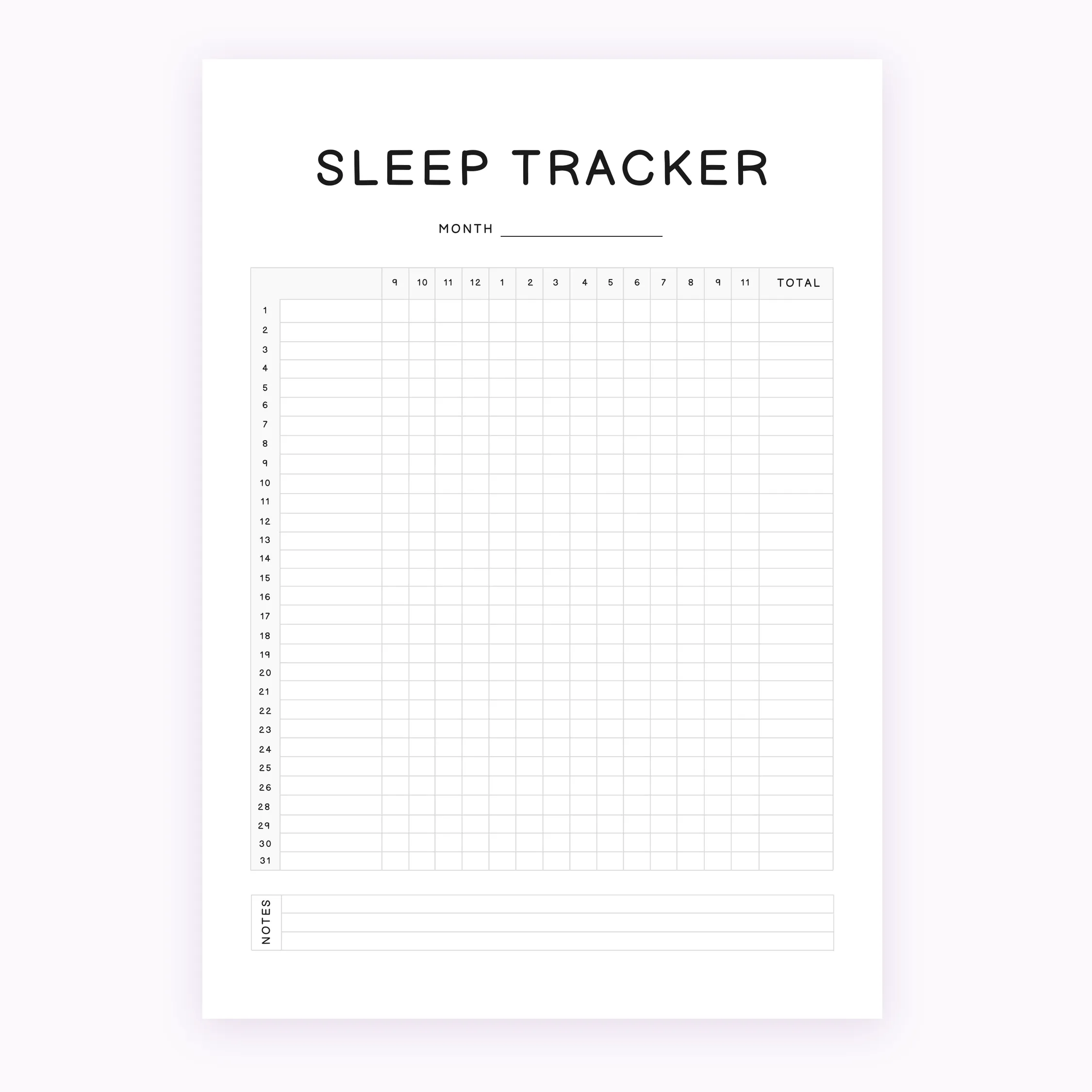
Organize your nightly rest with this Monthly Sleep Tracker Printable. This minimalist Sleep Log PDF is designed for quick daily tracking and comes in both A4 and A5 sizes for your convenience.
Instant download. Compatible with GoodNotes, Notability & Xodo.
Establish better rest habits with our professionally designed Monthly Sleep Tracker Printable. This digital file is the perfect tool for those looking to visualize their sleep patterns over a full month. By utilizing a minimalist layout, it ensures your focus remains on your data without unnecessary distractions.
What you get:
• 1 Monthly Sleep Tracker Printable in A4 size (PDF)
• 1 Monthly Sleep Tracker Printable in A5 size (PDF)
This digital download is designed for personal use and provides a streamlined way to record your sleep and wake times. Whether you use a physical binder or a digital note-taking app that supports PDFs, this template fits perfectly into your routine. Simply print the Sleep Log PDF at home or at a local print shop to begin your journey toward better rest habits.
Important information:
• This is a digital download only; no physical product will be shipped.
• The files are non-editable PDFs.
• Colors may vary slightly depending on monitor and printer settings.
How to download:
After your purchase is confirmed, you will receive an instant download link in your account dashboard and via email. You can save the files to your device and print them as many times as needed for your personal use.
Returns policy:
Due to the digital nature of this product, all sales are final. We cannot offer returns, refunds, or exchanges once the files have been downloaded.
Terms of use:
These files are for personal use only. You may not resell, redistribute, or use these designs for any commercial purposes. All designs are property of planner.download.
| 5 star | 0% | |
| 4 star | 0% | |
| 3 star | 0% | |
| 2 star | 0% | |
| 1 star | 0% |
How do I download after purchase?
- After completing your purchase, you’ll receive an instant download link on the order confirmation page and by email. Simply click the link to download your files to your device. You can re-download your files anytime from your account if you create one at checkout.
How to Print my A5 file?
- To print the A5 planner, open the PDF and select A5 paper size in your printer settings. For best results, make sure “Scale to Fit” is turned off and printing is set to 100% / Actual Size.
- If you are using standard sized printer paper (8.5″ x 11″) – adjust the scale to 100%, after printing you will have to cut the paper to make it the perfect size!
Do you offer refunds or exchanges for digital products?
- Due to the nature of digital products, all sales are final. Once a file has been downloaded, we’re unable to offer refunds or exchanges. If you experience any issues with your files, please contact us and we’ll be happy to help.